Octopus Icon: Integrating Marine Symbolism into Modern Digital Design
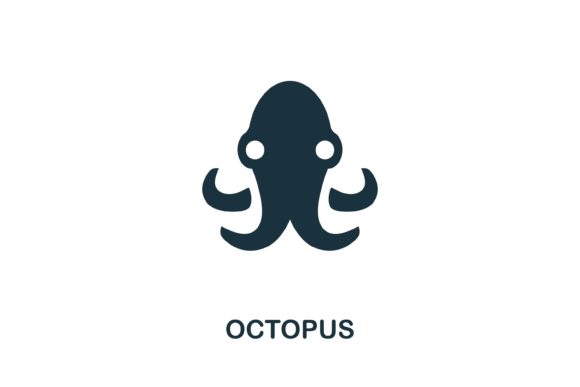
The intersection of natural biology and digital aesthetics offers a rich playground for graphic designers, educators, and brand strategists. Among the vast array of fauna available in visual libraries, the Octopus icon stands out as a uniquely versatile asset. Unlike simpler marine symbols like fish or shells, the octopus carries complex semantic weight, representing intelligence, adaptability, multitasking, and fluidity. When sourced from a curated seafood collection, this simple illustration transcends its biological origins to become a powerful tool for web design, infographics, and corporate identity. Understanding how to leverage this specific vector graphic requires an appreciation of both its symbolic resonance and its technical utility across various media formats.
Semantic Versatility in Visual Communication
The primary advantage of utilizing an Octopus icon lies in its multifaceted symbolism. In user interface (UI) design and information architecture, visual metaphors are essential for guiding user understanding without relying heavily on text. The octopus serves as an immediate cognitive shorthand for several distinct concepts that are highly relevant in today’s digital landscape.
- Multitasking and Connectivity: With eight arms radiating from a central point, the octopus is the universal symbol for hub-and-spoke systems. It is frequently used in network diagrams, server architecture visualizations, and project management dashboards to represent a central node managing multiple simultaneous streams of data or tasks.
- Adaptability and Fluidity: Biologically, octopuses are known for their ability to change shape and color to fit their environment. In business branding, this translates to agility. Startups and tech companies often use this imagery to signal flexibility, problem-solving capabilities, and resilience in changing markets.
- Intelligence and Curiosity: As one of the most intelligent invertebrates, the octopus represents deep learning and exploration. Educational platforms, research institutions, and AI development firms utilize this symbol to convey cognitive depth and investigative rigor.
- Culinary and Maritime Heritage: Returning to its roots in the seafood collection, the icon remains a staple for hospitality, restaurant branding, and coastal tourism. In these contexts, the creative execution shifts from abstract geometry to organic, appetizing, or culturally significant representations.
This semantic range allows a single vector asset to serve diverse industries without losing relevance. A creative Octopus icon for web design does not need to be redesigned for every new campaign; it simply needs to be recontextualized through color, composition, and accompanying typography.
Technical Specifications and File Format Utility
For professionals and hobbyists alike, the practical value of a graphic asset is determined by its technical flexibility. When acquiring an Octopus icon, the inclusion of both EPS and JPG files addresses the full spectrum of design workflows. Understanding the distinct roles of these formats ensures the asset maintains integrity whether it is printed on a billboard or displayed as a 16-pixel favicon.
The Role of EPS in Scalable Vector Graphics
The Encapsulated PostScript (EPS) file is the industry standard for editable vector graphics. Because the Octopus icon is defined by mathematical paths rather than pixels, the EPS version offers infinite scalability without degradation. This is critical for several professional applications:
- Brand Identity Systems: Logos must function at varying sizes. The EPS file allows designers to modify anchor points, adjust stroke weights, and recolor elements to match specific brand guidelines without pixelation artifacts.
- Large Format Printing: For trade show banners, vehicle wraps, or environmental signage, raster images fail. The vector nature of the EPS ensures crisp edges and smooth curves regardless of physical dimensions.
- Customization and Derivative Works: Designers can isolate specific elements, such as separating the tentacles from the head to create unique background patterns or secondary icons. This editability transforms a static illustration into a dynamic design system component.
JPG Integration for Rapid Deployment
While EPS provides editability, the JPG file offers immediate compatibility. Not all stakeholders have access to Adobe Illustrator or similar vector software. The JPG format serves as the universal preview and implementation file for non-design environments:
- Office and Presentation Software: Business owners and educators inserting the icon into PowerPoint, Word, or Google Slides require a raster format that embeds easily without triggering security warnings or compatibility errors.
- Web Mockups and Prototyping: During early wireframing stages, lightweight JPGs allow for rapid iteration before committing to optimized SVG code for production.
- Social Media and Email Marketing: Platforms like LinkedIn, Instagram, and Mailchimp typically require raster uploads. Having a high-resolution JPG ready eliminates the need for manual conversion, streamlining the content creation pipeline.
Application Across Diverse User Personas
The accessibility of a simple illustration from a seafood collection democratizes high-quality design. Different user groups extract unique value from the same Octopus icon asset based on their specific objectives and skill levels.
Professional Designers and Agencies
For agencies working on tight deadlines, pre-made vector assets accelerate the conceptual phase. Instead of drawing an octopus from scratch, a designer can import the EPS file and spend time refining the style to match the client’s aesthetic. This efficiency is particularly valuable when creating comprehensive infographic suites where consistency across dozens of icons is paramount. The clean lines typical of creative Octopus icons for web design ensure they integrate seamlessly with modern flat, material, or neumorphic design trends.
Educators and Academic Researchers
Visual literacy is a cornerstone of modern pedagogy. Teachers explaining marine biology, neural networks, or organizational theory benefit from clear, non-distracting visuals. A stylized octopus icon bridges the gap between scientific accuracy and engaging presentation. Researchers publishing papers or presenting at conferences can use the vector graphic to illustrate complex methodologies—such as distributed computing or adaptive algorithms—making abstract concepts tangible for interdisciplinary audiences.
Small Business Owners and Content Creators
Not every project has a dedicated art budget. Hobbyists, bloggers, and local business owners often rely on accessible assets to elevate their visual presence. The "easy to edit and use" nature of this asset package empowers non-experts to create professional-looking materials. A seafood restaurant owner can place the JPG directly onto a menu PDF, while a tech blogger can use it as a featured image for an article on agile development. The dual-format delivery removes technical barriers, allowing focus to remain on content and messaging rather than file conversion troubleshooting.
Design Considerations and Best Practices
While the Octopus icon is inherently versatile, successful implementation requires thoughtful adaptation. Designers should consider context, cultural associations, and visual hierarchy when deploying this symbol.
Stylistic Consistency: When integrating the octopus into an existing icon set, ensure line weight, corner radius, and negative space ratios align with other elements. If the set uses 2px strokes with rounded caps, the octopus must be adjusted to match. Mixing disparate styles within a single interface creates visual noise and undermines user trust.
Cultural Sensitivity: While generally positive, octopus symbolism varies globally. In some contexts, it may carry negative connotations related to entanglement or predation. Always validate iconography against the target audience’s cultural framework, especially for international campaigns. The simplicity of the illustration helps mitigate this risk by leaning toward abstraction rather than hyper-realism, but awareness remains essential.
Accessibility and Contrast: Vector icons must meet WCAG contrast standards when used functionally. Ensure the octopus maintains sufficient luminance difference against background colors. When used interactively, provide appropriate alt text that describes function rather than form—“Network Settings” is superior to “Octopus Icon” for screen reader users.
Color Psychology: Color dramatically alters perception. Blue tones reinforce technology and trust; orange and red evoke culinary warmth and energy; green suggests sustainability and marine conservation. Leverage the editability of the EPS file to test color variations in context before finalizing the palette. Never assume the default color scheme is optimal for every application.
Optimizing Workflow with Ready-Made Assets
Incorporating pre-designed assets like the Octopus icon into a creative workflow is not about compromising originality; it is about strategic resource allocation. By starting with a professionally crafted foundation, creators can redirect energy toward higher-value activities: user testing, narrative development, and strategic refinement. The availability of both EPS and JPG formats ensures seamless handoffs between design teams, developers, marketers, and clients. This interoperability reduces friction, prevents version control issues, and maintains visual consistency across touchpoints.
Ultimately, the value of this asset extends beyond its aesthetic qualities. It represents a convergence of symbolic richness, technical robustness, and practical accessibility. Whether illustrating a complex data visualization for a research paper, branding a coastal bistro, or prototyping a SaaS dashboard, the octopus icon provides a reliable, adaptable visual anchor. Its presence in a designer’s toolkit exemplifies how thoughtful asset selection can enhance communication clarity while respecting the constraints of real-world production environments. By understanding both the why and the how of its application, users across all skill levels can transform a simple marine illustration into a sophisticated instrument of visual storytelling.